有聲書

刪除聲音 DRM,100% 保留原始質量

Before we get started, I want to friendly remind you that Audible has official apps or solutions for listening to on any major platforms (iOS, Android, Windows Phone, Fire Tablet, Mac & PC, Sonos speakers, Fire TV, Alexa-enabled Devices, Kindle, MP3 player). If your goal is just to play Audible on these platforms, you don’t have to remove Audible DRM. You can visit the Audible site for a solution.

This post is about Audible DRM removal, which is suit for someone who wants to listen to Audible on niche devices, platforms, or want to back up their purchased Audible audiobooks. Backups ensure your digital assets always belong to you. The procedure of removing Audible DRM is you download Audible audiobooks to your computer as .aax or .aa files, and then import them into 聲音轉換器 to remove DRM.

Preparatory Work: Download Audible Audiobooks to Computer as AAX/AA Format

A detailed tutorial is here: How to Download Audible Books on Windows 7/8/10 and Mac

In the following, we cover the simple steps of downloading books on Windows 10 and Mac.

  • On Windows 10
  1. Get the app Audiobooks from Audible from here or Microsoft Store.
  2. Sign in the app with your Amazon account that associate with Audible.
  3. Right-click on the Audible book and select “ 下載 “.
  4. In the Audible app, select Settings > Downloads > Open Download Location in File Explorer . Right there you can find your downloaded audiobooks in AAX format.
  • On Mac
  1. Visit the Library page on the Audible site.
  2. Click the 下載 button located on the right side of the Audible book, and then save it to your Mac. If Enhanced is selected, you will get a .aax file, and if Format 4 is selected, you will get a .aa file.

Use Audible Converter to Remove Audible DRM on Windows/Mac

The AA or AAX files you have downloaded are under the protection of DRM copyright, which means they cannot be played on platforms that are not authorized by Audible. The one software tool that will crack this is to use 聲音轉換器 . Doesn’t cost much, it can remove all restrictions to play Audible books.
免費下載 免費下載

How does it work? It converts AAX/AA files to MP3 or M4B and removes Audible DRM at the same time. The converted audiobooks are perfect. It keeps 100% of the original standard Audible quality. Next comes the step-by-step guide on how to remove Audible DRM.

Step 1. Drag and Drop Downloaded Audible Books

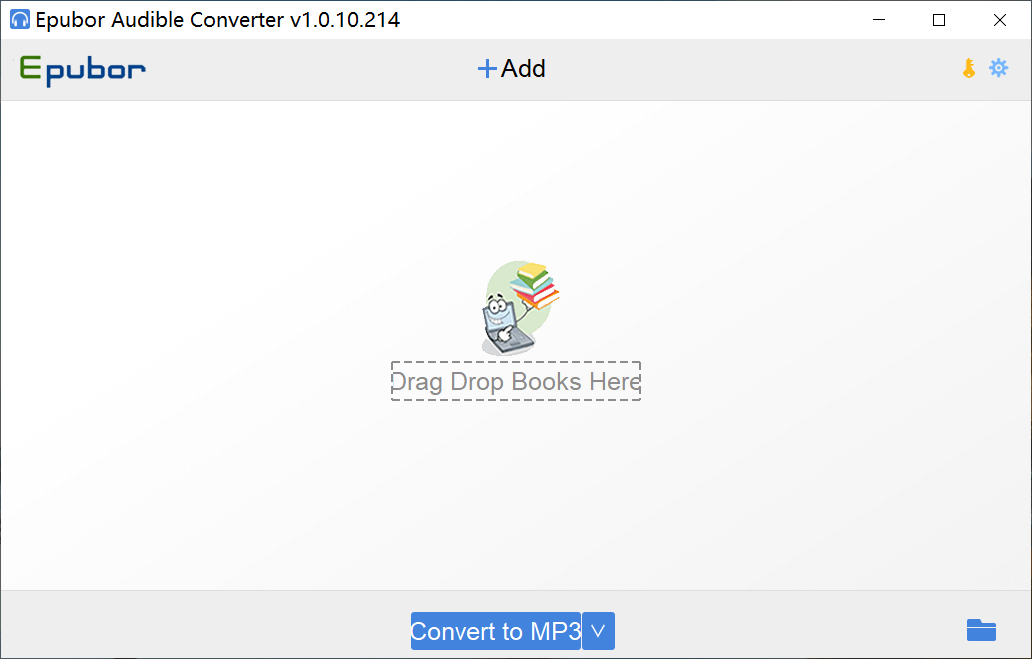
發射 聲音轉換器 on your Windows or Mac. Then select multiple Audible files to drag and drop into the program. You can select the output format in this step too. We are familiar with MP3. It is the most compatible format, but you might not be so familiar with M4B. M4B is the MPEG-4 Audio Book file format, which is often used by iTunes.

Add Audible Audiobooks to Audible Converter

Step 2. Click on “Convert to MP3/M4B” to Start Removing Audible DRM

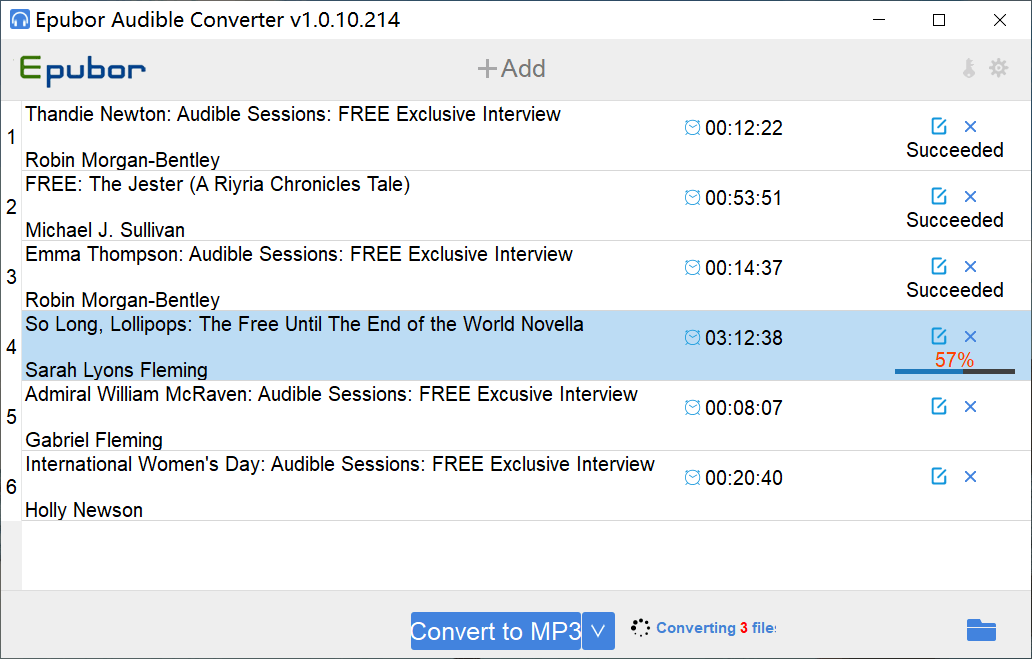
Once the Audible books have imported, you can click on “Convert to MP3” or “Convert to M4B”. All the books will be converted and Audible DRM will be removed during this process . Your freshly new audiobooks without any DRM protection are stored in the output folder.

Removing Audible DRM in Audible Converter

N.B. The free trial of 聲音轉換器 allows converting nearly 10 minutes of each audiobook. You can download the free trial here to test on your computer.
免費下載 免費下載

蘇珊娜的照片

蘇珊娜

Susanna 是 Filelem 的內容經理和作家。她多年來一直是一位經驗豐富的編輯和書籍版式設計師,並且對嘗試和測試各種生產力軟體感興趣。她也是 Kindle 的忠實粉絲,使用 Kindle Touch 已近 7 年,幾乎走到哪裡都帶著 Kindle。不久前,該設備的使用壽命即將結束,蘇珊娜高興地買了一台 Kindle Oasis。

相關文章

返回頂部按鈕